Tiny and simple, Sshwitch makes it quick and easy to switch between SSH config via a little drop-down from the macOS menubar.
Create unique config files in your ~/.ssh directory with unique filename extensions, like config.something or config.home, and the extensions show up in the menu. When you select one, the system copies that config to config and you're off and running with that SSH config.
The new config change is immediate, so test it:
Terminal
$ ssh -T git@github.com
Hi GitHubUserPerson! You've successfully authenticated, but GitHub does not provide shell access.
That's it.
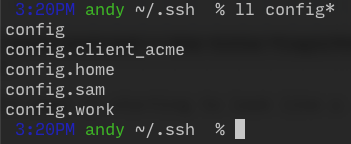
.png)